911 Dispatch Console UX Design

The embedded control hub for a sit-stand 911 dispatch workstation, built for long, high-stress shifts.
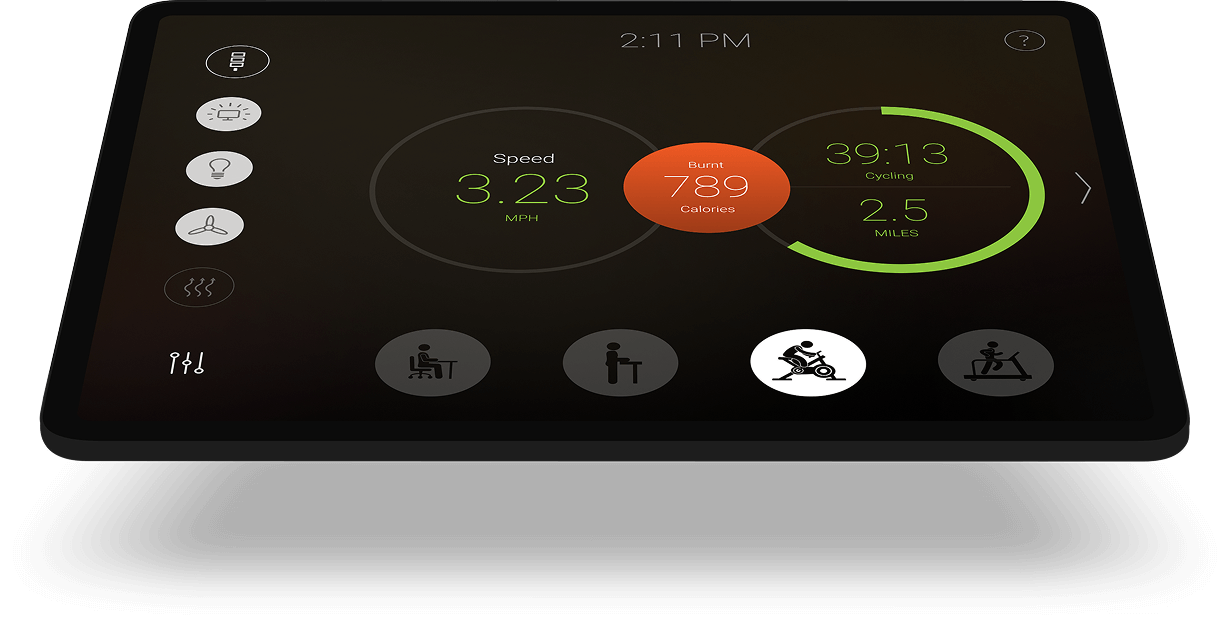
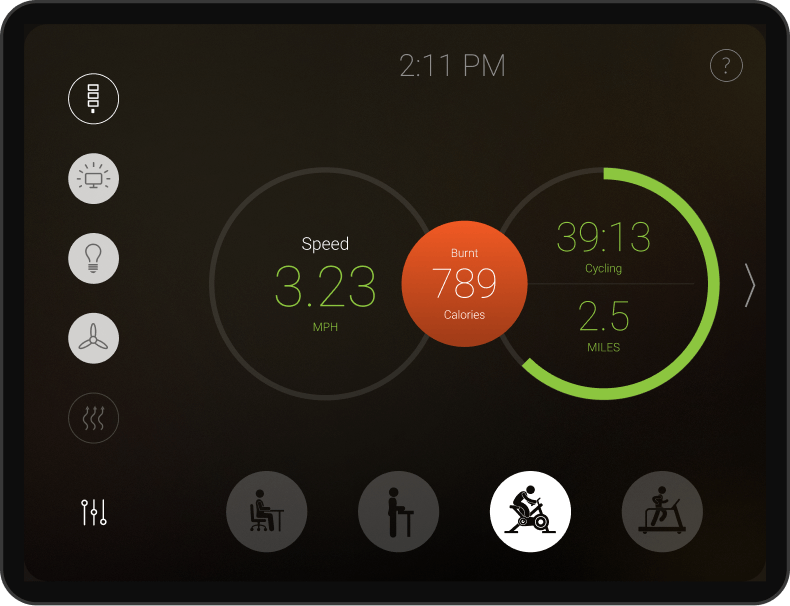
Console touchscreen on a stand showing speed, calories burnt, cycling time, and distance, with activity mode buttons along the bottom

Emergency dispatchers work long, high-stress shifts, and the workstation is often the only thing in the room built to protect their health. We designed the embedded interface for a dual-level, height-adjustable dispatch workstation: the touchscreen control hub that moves the desk, remembers each dispatcher’s preferred positions, and prompts a posture change during a shift. Dispatchers operate it without instruction, and the desk went from mandatory equipment to something staff actually value.

The Challenge

Emergency dispatchers often endure long, high-stress shifts with limited movement. The leading issues in the industry—obesity, chronic fatigue, and musculoskeletal strain—stem from sedentary behavior, irregular schedules, and poor physical environments.

Our task was to design an interface that supports healthier routines and integrates seamlessly with the workstation hardware.

Our Approach
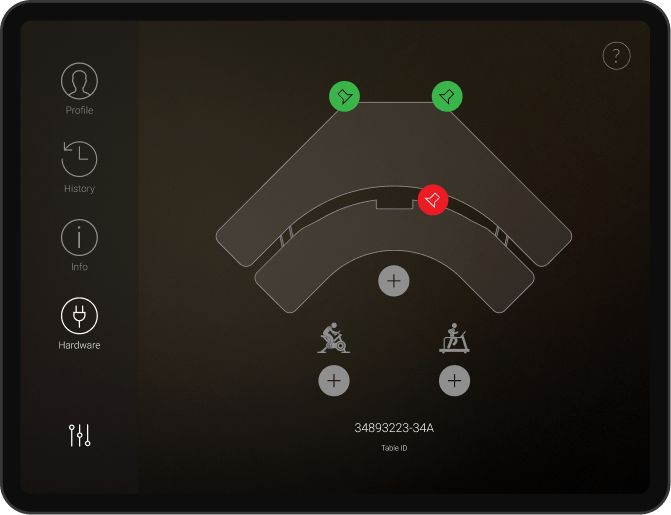
Research and Ergonomic Standards User Role Definition Workflow Optimization

Research and Ergonomic Standards

We began with a review of ergonomic requirements and industry health standards. Input from workplace safety consultants and product engineers helped shape a set of clear UX goals focused on comfort, ease of use, and minimal cognitive load.


User Role Definition

We identified the dispatcher as the sole user and mapped out daily routines and physical movements. This informed interface behaviors, interaction zones, and visibility rules tied to workstation usage.


Workflow Optimization

We documented how users interact with the workstation across shift changes, manual overrides, and automatic desk adjustments. These patterns became the foundation of the UI structure, reducing effort and repetition.

Solution

We focused on creating an embedded application that acts as the dedicated control hub for the entire workstation. The solution was designed to encourage proactive health management by providing easy access to automated ergonomic adjustments and real-time postural feedback, minimizing dispatcher fatigue.
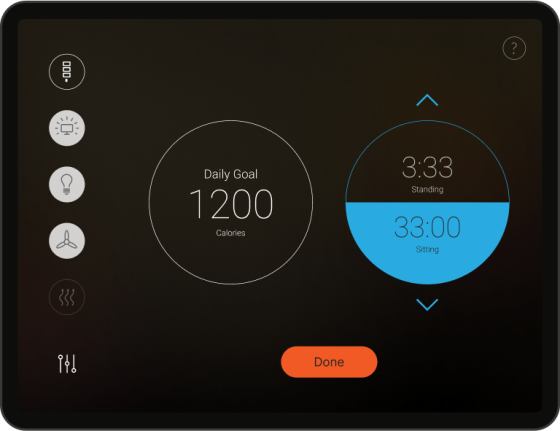
Console screen showing a daily calorie goal and standing and sitting times, with up and down arrows and a Done button

Boosting Health-Conscious Behavior Through UX

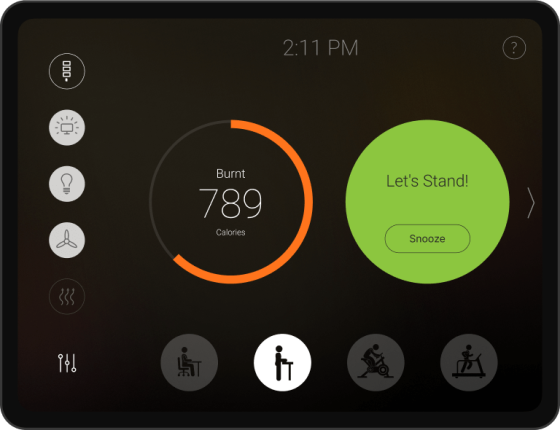
The app promotes regular posture changes by guiding users through the stand/sit configuration process and displaying real-time ergonomic feedback. Automated desk movements are customizable per user and stored in their individual profile.

Console screen showing calories burnt and a Let's Stand prompt with a Snooze button, above activity mode buttons

Simplified Visual Communication

Large buttons and contrast-optimized displays allow users to interact with the system effortlessly, even in dim lighting. Key statuses like desk position, lock mode, and height memory are visually distinct for rapid scanning.

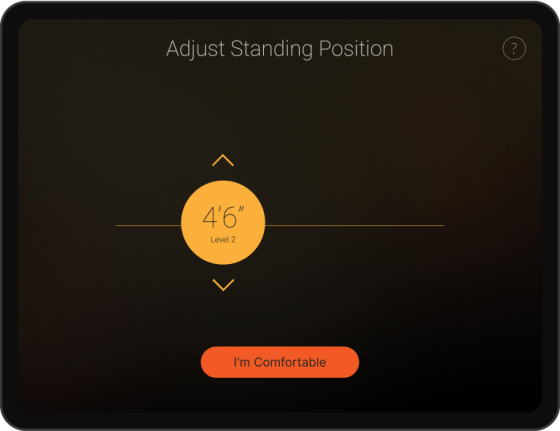
Console screen titled Adjust Standing Position with a height value, up and down arrows, and an I'm Comfortable button

Enhanced Touch Controls

The interface is built for touch with ample spacing, drag-free interactions, and instant feedback on key actions. Designed for consistent use in high-pressure environments, the UI minimizes fatigue by streamlining repetitive operations.

Function First Interface Function First Interface

Function-First Interface

The entire UI focuses on one core goal: enabling easy control of the workstation without unnecessary features. Each screen exposes only the relevant settings and states, reducing friction and supporting single-user workflows.

Results

Encouraged Healthier Routines

Proactive Health Management: The application actively promoted movement throughout shifts by gently guiding users to transition between sitting and standing. This minimized the health risks associated with long, sedentary periods.

Minimal Training Required

Reduced Training Time: The function-first design and simplified controls allowed dispatchers to operate the workstation hardware without instruction, resulting in near-zero training time.

Improved Shift Comfort

Enhanced Postural Comfort: Touch-friendly controls and user-specific memory settings significantly reduced physical strain and effort when adjusting the dual-level workstation.

High Adoption Rates

High Adoption and Positive Feedback: The system received overwhelmingly positive feedback from staff, transitioning the desk from a mandatory tool to a valuable resource for shift endurance and well-being. Building hardware that needs its own interface? That's a recurring brief for us. See our enterprise UX/UI work.

Let’s work together

Looking for a Streamlined, User-Centered App? Contact us today to create a custom application that delivers the information your users need—efficiently and intuitively.

    Your privacy is important to us. We will only use your information to respond to your inquiry. We will never sell or share your data with anyone.

    Schedule a Meeting